White background · free

White Background
for Photos

Upload a photo and the background turns pure white automatically. Perfect for product photos, catalogues and ID photos.

Drag & drop an image here

JPGPNGWebPup to 15 MBpaste with Ctrl+V

No image? Try one of these:

By uploading an image you agree to our Terms. Images are processed only to remove the background and are not stored.

  1. 1UploadDrop, paste or pick a photo
  2. 2Remove the backgroundOne click, hair and edges included
  3. 3DownloadEdit, resize, then download or print
  • Images never stored
  • No sign-up

How it works

Add a White Background to Photos Online Free | Product Photos

Online shops and marketplaces look best with product photos on a plain white background, and Amazon requires it for the main image. Upload your photo here and click Remove background: the old background is removed and replaced with pure white automatically. No studio, light box or photo editing skills needed.

The result is a true, even white (RGB 255, 255, 255), unlike a photo of a white wall or sheet, which always looks a little grey. Add a soft shadow, size the image for your shop and download it in full quality, free and without a watermark.

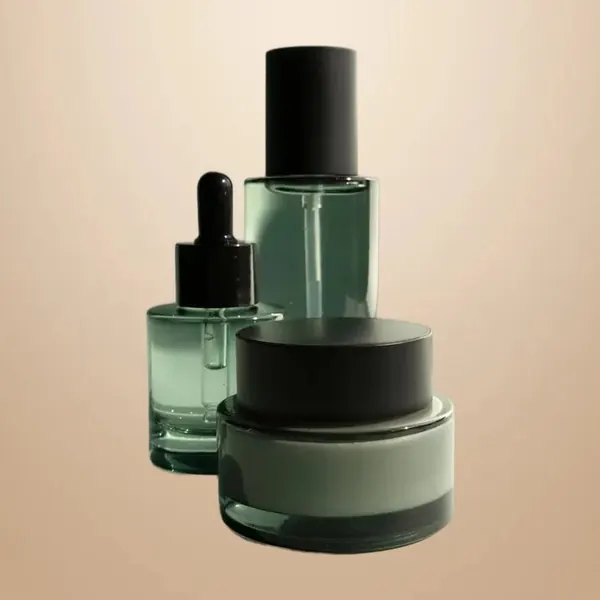
White background: original photo before
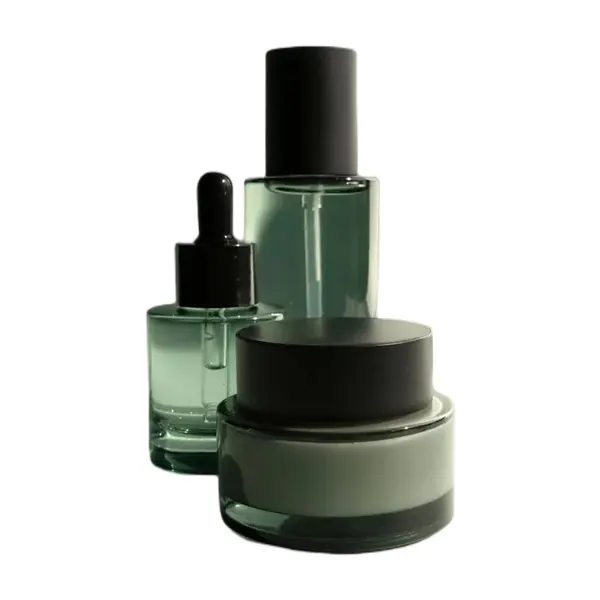
White background: finished result
White background

Make a white background in 3 steps

  1. 01

    Upload the photo

    Photograph the product in daylight with some space around it, then upload it above.

  2. 02

    Remove the background

    Click Remove background. The background becomes pure white automatically.

  3. 03

    Shadow, size and download

    Add a floor shadow in Effects, choose a size in the Image Resizer and download as JPG.

Make it look placed, not pasted

  1. 1A product floating on white can look cut out.
  2. 2Open Effects and add a soft Floor Shadow so it stands on the surface, or a light Drop Shadow for flat items photographed from above.
  3. 3Keep the strength subtle and use the same setting for every product.

Marketplace-ready sizes

  • Amazon: pure white main image, the product filling most of the frame; at least 1000 px on the longest side for zoom.
  • Shopify and WooCommerce: use the same square or portrait size for every product so collection pages look tidy.
  • Etsy, eBay and Google Shopping: clean, light backgrounds without text, borders or watermarks work best.

Use Adjust → Crop to subject with a little Padding, then the Amazon / Shopify preset (2000 × 2000 px) in the Image Resizer with Fit, so the whole product stays visible on white. Always check your marketplace's current requirements.

Tips for better product photos

  • Shoot near a window in soft daylight and turn off yellow room lights.
  • Put a white sheet of paper opposite the window to soften shadows.
  • Fill most of the frame with the product and keep the same angle for every item.
  • Clean the product first: dust shows clearly on white.
  • For glass, jewellery, fur or plants, check the edges and touch them up with the Brush.

A whole catalogue at once

  1. 1Add many photos at once; each one gets the white background as soon as its background is removed.
  2. 2Set the size on one image and click Apply to all, then Download all as a ZIP file or one PDF.
  3. 3Our product photo guide covers the whole workflow.

Who uses it

  • Amazon, eBay, Etsy and Shopify sellers who need a pure white main image.
  • Small shops and makers photographing products at home without a studio.
  • Catalogue and price-list makers who want every product on the same clean background.
  • People selling second-hand items online, where a clean photo sells faster.

Why marketplaces ask for white

  1. 1A white background makes the product the only thing to look at, and every listing looks consistent in search results.
  2. 2Amazon asks for pure white (RGB 255, 255, 255) on the main image, with the product filling most of the frame.
  3. 3The white here is exactly that, and the soft floor shadow keeps the product from looking as if it floats.
  4. 4Shoot in daylight, from slightly above the product, and keep the camera steady for the sharpest edges.

FAQ

White background questions

More answers in the FAQ.

Upload an image
Is it really pure white?

Yes. The background is replaced with RGB 255, 255, 255, the pure white that marketplaces ask for.

Can I use a different colour instead?

Yes. Open Background after removing the background and choose light grey, your brand colour, a gradient or a scene.

Should I download JPG or PNG?

JPG for the white-background photo you upload to your shop, because it's smaller. Keep a transparent PNG too, so you can reuse the product on other backgrounds.

My product is white. Will it disappear?

The cutout keeps the product, but white on white can look flat. Add a soft floor shadow, or use a very light grey background.

Can I use the photos commercially?

Yes. You keep all rights to your images and the results, with no watermark.

Step-by-step guides

More free tools